Message Autoplay MV + MZ
This plugin is available for free for non-commercial use under CC BY-NC 4.0 because it is an accessibility plugin (and because I use autoplay a lot and would like to see it more often). Scroll down for the free download!
It's a lightweight message autoplay plugin that can also add a customisable 'Auto' toggle button to fully expanded message boxes.
Controller and keyboard bindings (via input intent) are supported as well.
Before deploying for Linux on Windows, you must update MV's NW.js runtime.
Hints
Please check the key/gamepad bindings for collisions if you use any other plugins that introduce their own input bindings. The (by default) 'auto' intent for toggling autoplay is bound to 'A' and 'Start' by default.
You can remove any Options entries by clearing out their text in the plugin parameters, and you can similarly fully remove the 'Auto' button by removing the system image assignment.
Add some transparent padding to each quadrant of the "Auto Button" image, so that it's easier to hit on a touchscreen. Use even spritesheet dimensions.
Notes
I based this plugin and its defaults mostly on my own preferences, but I'm open to feature requests as long as they keep this plugin relatively lightweight.
For heavier extensions, please use a later-loaded plugin to inject them via the JavaScript API. Let me know if you want me to extract a certain section of the code into its own function!
Load Order
As all hooks installed by Message Autoplay are transparent, it shouldn't interfere with any earlier plugin's features.
When in doubt, load Message Autoplay relatively late, so that it can block clicks on the 'Auto' button from triggering anything else embedded in the message window.
Plugin Parameters
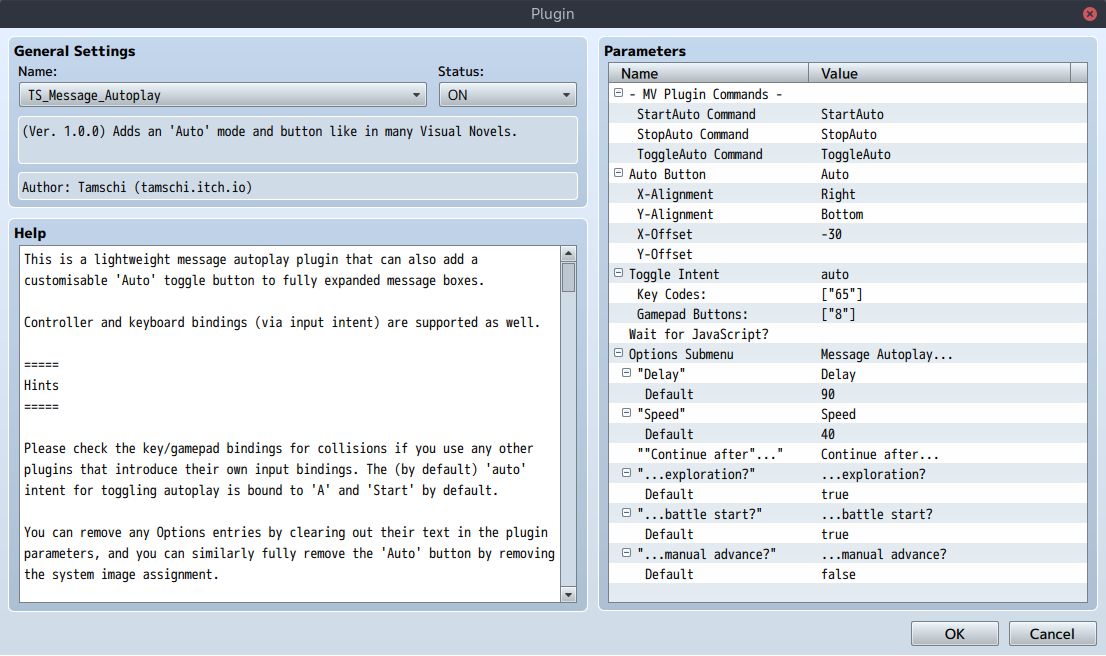
StartAuto Command, StopAuto Command, ToggleAuto Command
These parameters control the names of MV-style plugin commands used by this plugin. MZ-style commands are unaffected by them.
Use these in case there are collisions. Removing the name entirely deactivates the respective MV-style command.
Auto Button, X-Alignment, Y-Alignment, X-Offset, Y-Offset
Used to configure the 'Auto'-button shown on the fully open message window.
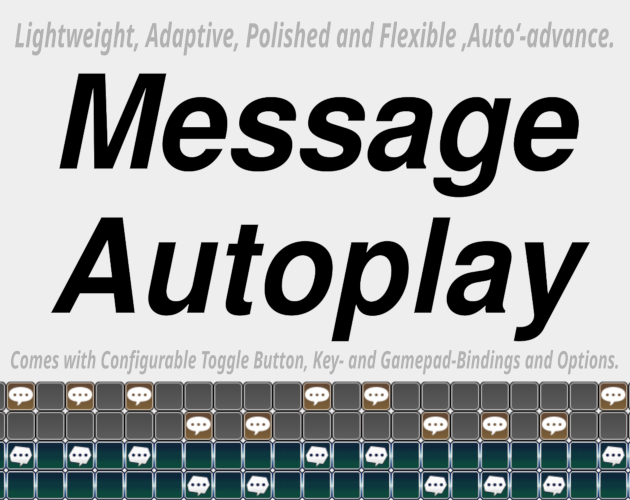
The button graphics are a 2x2 spritesheet where the left side is shown when autoplay is stopped and the right side when it is active. The bottom row is shown whenever the button is currently pressed.
The size of the button image is taken into account when aligning it inside the window. The offsets can be used to nudge it further in any direction.
Toggle Intent, Key Codes:, Gamepad Buttons:
These parameters define the initial input bindings for the global autoplay toggle. You can remove them entirely by clearing out "Toggle Intent".
You can define any number of bindings and the dialogue for selecting gamepad buttons has a dropdown labelling the options according to an XInput controller's layout.
For keyboard keys, please look up each keycode on keyjs.dev.
Wait for JavaScript?
Iff a JavaScript expression is specified here, the message will not auto-advance unless the expression results in a falsy value.
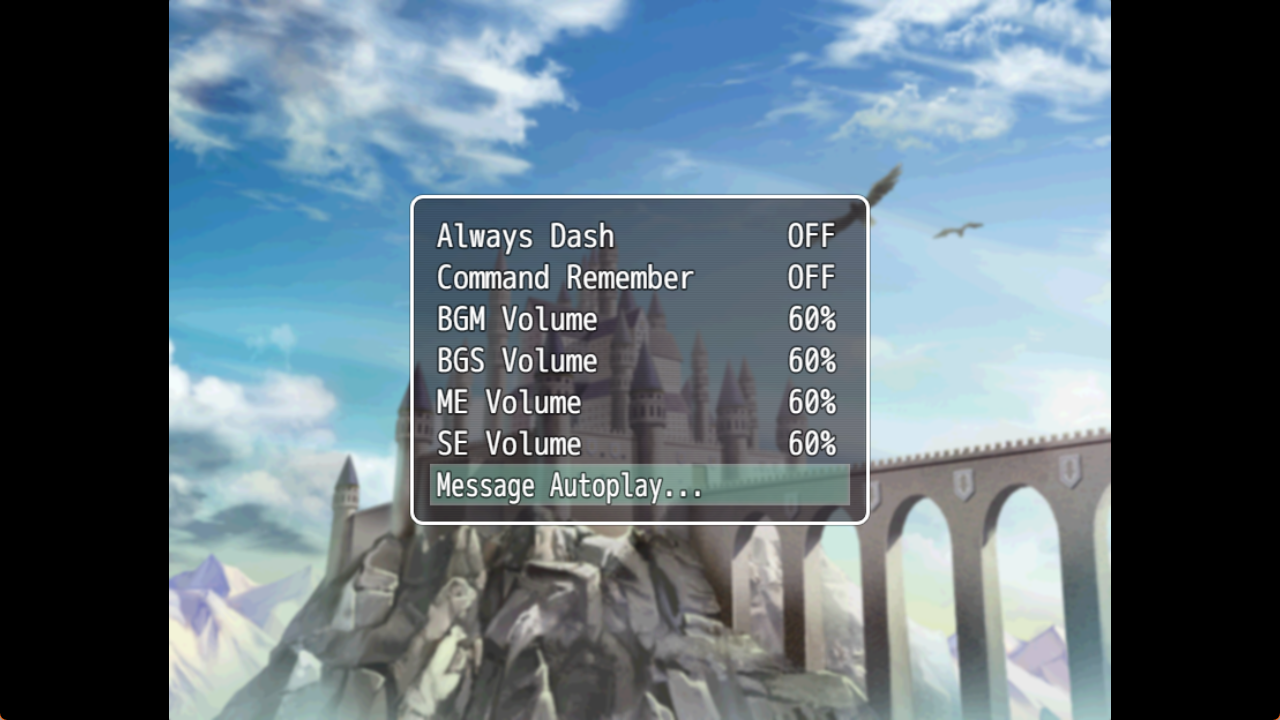
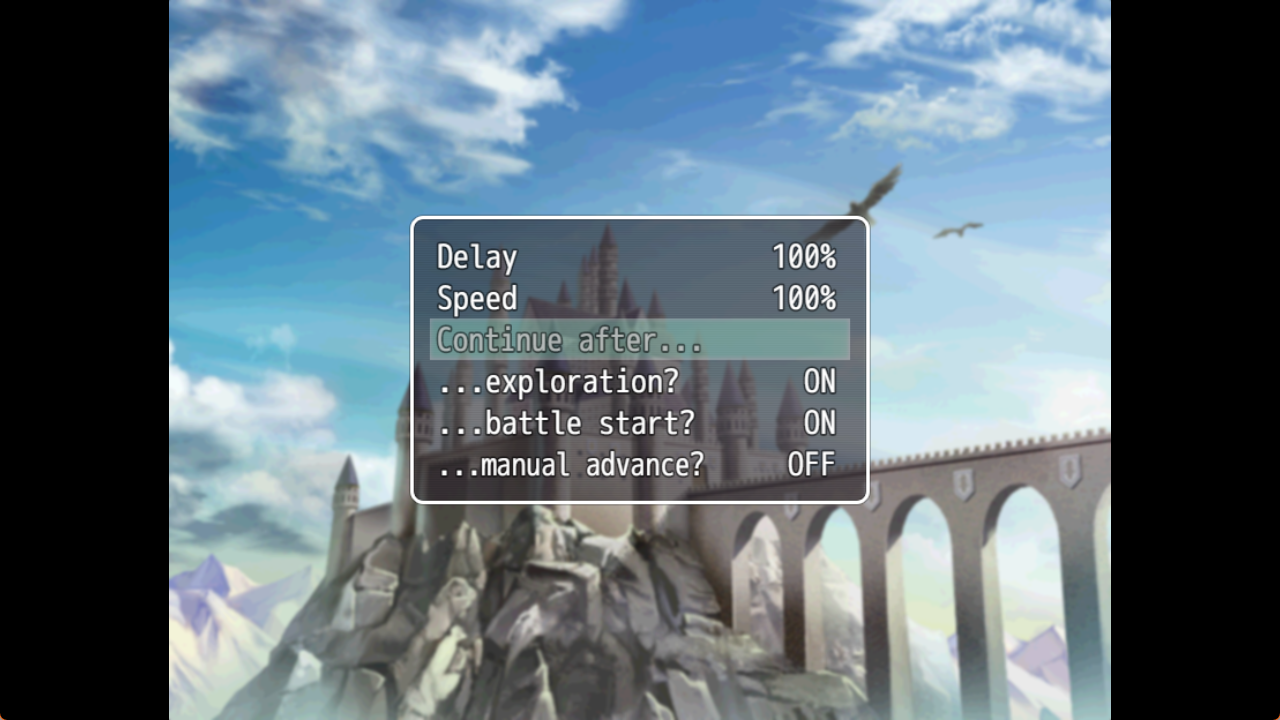
Options Submenu, "Delay", "Speed", "Continue after...", "...exploration?", "...battle start?", "...manual advance?", + Defaults
Use these parameters to set up the Message Autoplay options menu texts and their respective default values. Cleared texts individually remove rows in the menu(s), so it's possible to remove only the "Continue after..." heading and keep the here-nested options.
Use the respective "Default" parameters to configure the default settings.
Both "Delay" and "Speed" can be increased to up to 500(%) in the options.
These settings are saved alongside other game configuration (see below), so you will need to erase that file to make the defaults effective.
Plugin Commands
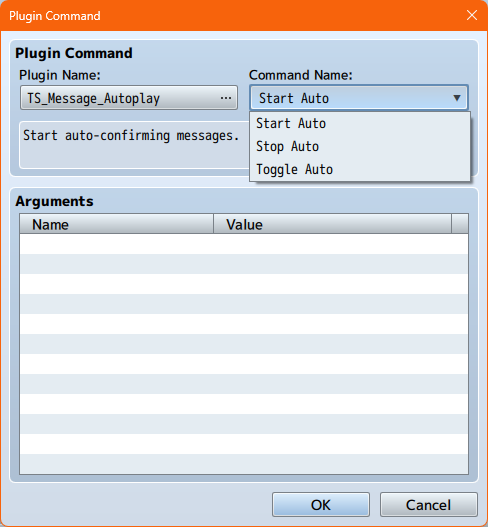
StartAuto (MV) / Start Auto (MZ),
StopAuto (MV) / Stop Auto (MZ),
ToggleAuto (MV) / Toggle Auto (MZ)
These argument-less plugin commands can be used at any time to respectively start, stop or toggle autoplay.
JavaScript API
This plugin unconditionally sets the global variable TS_Message_Autoplay when first loaded.
There, version, parameters (hydrated), utility functions, constants, classes and hooks are exposed and can be manipulated. Please see the source code for more information. (Search for const api.)
The frozen version property contains Semantic Version-compatible featureLevel, patchLevel and releaseCandidate information.
Save Contents
This plugin stores configuration (options values) under the TS_Message_Autoplay key.
The exact format is largely an implementation detail and should ideally not be relied on. Changes to it are not considered breaking (but forwards and backwards compatibility of saves is taken into account).
Compatibility Notes
This plugin was tested on RPG Maker MV 1.6.2 and RPG Maker MZ 1.9.2, uses only the public RPG Maker API as far as possible, and does not use any platform-specific APIs.
This plugin should be compatible with any deployment target available for RPG Maker MZ, including web and most custom ones.
This plugin has been tested and is fully compatible with:
| YEP_CoreEngine | v1.32 |
| YEP_BattleEngineCore | v1.51 |
| YEP_MessageCore | v1.19 |
| VisuMZ_0_CoreEngine* | Version 1.80 |
| VisuMZ_1_BattleCore* | Version 1.80 |
| VisuMZ_1_MessageCore* | Version 1.54 |
* As VisuMZ plugins are obfuscated, I can't efficiently provide support for combination with these plugins. In case of issues, please contact the VisuMZ team to request a compatibility update instead.
Generally speaking, "hard" incompatibilities with Message Autoplay should be very rare due to the defensive programming style used in this plugin.
License Grant
(as included in the plugin file, aside from line wrapping)
This plugin is free for non-commercial use under CC BY-NC 4.0. (See https://creativecommons.org/licenses/by-nc/4.0/ for more information.)
A commercial-use license for this plugin can be purchased at https://tamschi.itch.io/message-autoplay .
Once you have purchased it, you may redistribute and sublicense this plugin file as part of games you create. You may not redistribute nor sublicense it separately or as part of an asset- or resource-collection, except in accordance with the CC BY-NC 4.0 license.
You may modify this plugin when including it with your games, as long as the attribution above and this license grant stay intact. If you do so, you must add comments to indicate which changes you made from the original.
Purchase
In order to download this RPG Maker plugin you must purchase it at or above the minimum price of $5 USD. You will get access to the following files:
Download demo
Development log
- Ver. 1.0.1: Crash fixApr 26, 2026
- Ver. 1.0.0: Free for non-commercial use!Oct 22, 2025
Leave a comment
Log in with itch.io to leave a comment.